;(function(){ const { useState, useEffect, useCallback, useRef } = React; const SCREENS = { splash: window.SplashScreen, auth: window.AuthScreen, onboarding: window.OnboardingScreen, pairing: window.PairingScreen, home: window.HomeScreen, 'home-chat': window.HomeChatScreen, 'event-create': window.EventCreateScreen, 'plan-pending': window.PlanPendingScreen, 'plan-chat': window.PlanChatScreen, 'plan-reveal': window.PlanRevealScreen, 'surprise-hint': window.SurpriseHintScreen, 'amulet-map': window.AmuletMapScreen, 'wish-list': window.WishListScreen, settings: window.SettingsScreen, }; /* ════════════════════════════════════════════════════════════════ COLOR THEMES — 全カラーの一括管理(single source of truth) アプリで使う色トークンはすべてここで定義する。CSS 変数として documentElement に流し込むので、コンポーネント側は var(--xxx) を 参照するだけ。テーマの追加・変更はこの THEMES 配列だけをいじればよい。 (index.html の :root は初期値/フォールバック。実効値はここが上書き) ──────────────────────────────────────────────────────────────── */ const THEMES = [ { id: 'snow', label: 'しろ', desc: 'ほぼ白。ほんのり紫みのある、明るい基調。', recommended: true, swatch: ['#F5F3FA', '#7C6BB4', '#C6A15A'], vars: { '--bg': '#F5F3FA', '--paper': '#FCFBFE', '--surface': '#FFFFFF', '--surface-2': '#F0EDF7', '--ink': '#322E3A', '--ink-soft': '#6D6878', '--ink-faint': '#A8A2B4', '--line': 'rgba(60,52,74,0.09)', '--line-2': 'rgba(60,52,74,0.15)', '--me': 'oklch(0.66 0.066 18)', '--partner': 'oklch(0.69 0.052 150)', '--gold': 'oklch(0.74 0.060 75)', '--amethyst': '#7C6BB4', '--stage': 'radial-gradient(120% 80% at 50% -10%, #f4f1fb 0%, #efeaf8 55%, #e7e1f3 100%)', }, }, { id: 'dusk', label: 'ゆうやけ', desc: 'あたたかな夕焼け色。ふたりの時間に。', swatch: ['#F6EBE6', '#B96D57', '#CB9450'], vars: { '--bg': '#F6EBE6', '--paper': '#FDF5F1', '--surface': '#FFF9F6', '--surface-2': '#F6E7DF', '--ink': '#43352F', '--ink-soft': '#856E64', '--ink-faint': '#BCA79B', '--line': 'rgba(90,54,44,0.10)', '--line-2': 'rgba(90,54,44,0.16)', '--me': 'oklch(0.66 0.066 18)', '--partner': 'oklch(0.69 0.052 150)', '--gold': 'oklch(0.76 0.075 62)', '--amethyst': '#B96D57', '--stage': 'radial-gradient(120% 80% at 50% -10%, #f7ece6 0%, #f0ddd2 55%, #e9cfc0 100%)', }, }, { id: 'linen', label: 'あたたか', desc: 'あたたかい麻色。やわらかな空気に。', swatch: ['#F0EBE1', '#8E7DA6', '#C6A15A'], vars: { '--bg': '#F0EBE1', '--paper': '#FBF8F1', '--surface': '#FFFDF8', '--surface-2': '#F5EFE6', '--ink': '#403A30', '--ink-soft': '#7A7060', '--ink-faint': '#AEA492', '--line': 'rgba(61,54,44,0.10)', '--line-2': 'rgba(61,54,44,0.16)', '--me': 'oklch(0.66 0.066 18)', '--partner': 'oklch(0.69 0.052 150)', '--gold': 'oklch(0.74 0.060 75)', '--amethyst': '#8E7DA6', '--stage': 'radial-gradient(120% 80% at 50% -10%, #efe8db 0%, #e6ddcd 55%, #ddd3c0 100%)', }, }, ]; const DEFAULT_THEME = THEMES[0].id; /* テーマ ID を受け取り、全カラートークンを documentElement に反映する。 --amethyst-soft は --amethyst から自動導出。--stage は body 背景へ。 */ function applyTheme(themeId) { const theme = THEMES.find(t => t.id === themeId) || THEMES[0]; const root = document.documentElement; Object.entries(theme.vars).forEach(([k, v]) => { if (k !== '--stage') root.style.setProperty(k, v); }); root.style.setProperty('--amethyst-soft', `color-mix(in oklch, ${theme.vars['--amethyst']} 22%, ${theme.vars['--paper']})`); document.body.style.background = theme.vars['--stage']; return theme; } /* ── 画面の「深さ」— 汎用遷移の方向決定用 ── 深くなる遷移は右からスライドイン(push)、浅くなる遷移は左から(pop)、 同じ深さ(下タブの切替など)は従来どおりのクロスフェード(screen-in)。 */ const SCREEN_DEPTH = { splash: 0, auth: 0, onboarding: 0, pairing: 0, home: 1, 'amulet-map': 1, 'wish-list': 1, settings: 1, 'home-chat': 2, 'event-create': 2, 'plan-pending': 2, 'plan-reveal': 2, 'surprise-hint': 3, 'plan-chat': 3, }; /* ── 画面ID → タイトル(GA4 の page_title / ページ表示名に使う)── GA4 のウェブレポート「ページとスクリーン」は page_view の page_title / page_location で 画面を分離する。SPA なので各遷移で page_view を自前送信し、ここのラベルを載せる。 */ const SCREEN_TITLES = { splash: 'スプラッシュ', auth: 'サインイン', onboarding: '名前の登録', pairing: 'ペアリング', home: 'ホーム', 'home-chat': 'ふたりで相談', 'event-create': 'デート作成', 'plan-pending': 'プラン未決定', 'plan-chat': 'プラン相談', 'plan-reveal': 'プラン詳細', 'surprise-hint': 'サプライズ', 'amulet-map': 'Amulet Map', 'wish-list': '小言キーパー', settings: '設定', }; /* ── Screen jump list (PC only) ── */ const JUMP_SCREENS = [ { id: 'splash', label: 'スプラッシュ' }, { id: 'auth', label: 'サインイン' }, { id: 'onboarding', label: '名前の登録' }, { id: 'pairing', label: 'ペアリング' }, { id: 'home', label: 'ホーム' }, { id: 'home-chat', label: 'ふたりで相談' }, { id: 'event-create', label: 'デート作成' }, { id: 'plan-pending', label: 'プラン未決定' }, { id: 'plan-reveal', label: 'プラン詳細' }, { id: 'surprise-hint', label: 'サプライズ' }, { id: 'amulet-map', label: 'Amulet Map' }, { id: 'wish-list', label: '小言キーパー' }, { id: 'settings', label: '設定' }, ]; /* ── キーボード追従: visualViewport に合わせてアプリ全体の高さを縮める ── iOS Safari はキーボード表示時にページ全体を上へパンし、ヘッダが画面外に隠れてしまう。 代わりにルートコンテナの高さを visualViewport.height に合わせ、パンは scrollTo(0,0) と translateY(offsetTop) で打ち消す。→ ヘッダ・入力バーは残り、スクロール領域だけが縮む。 キーボードの高さは --kbh として配下の CSS から参照できる(入力バーの下パディング調整用)。 */ function useVisualViewport(active) { const [vp, setVp] = useState({ h: window.innerHeight, top: 0, kb: 0 }); useEffect(() => { const vv = window.visualViewport; if (!active || !vv) return; const update = () => { window.scrollTo(0, 0); setVp({ h: Math.round(vv.height), top: Math.round(vv.offsetTop), kb: Math.max(0, Math.round(window.innerHeight - vv.height)), }); }; update(); vv.addEventListener('resize', update); vv.addEventListener('scroll', update); window.addEventListener('resize', update); return () => { vv.removeEventListener('resize', update); vv.removeEventListener('scroll', update); window.removeEventListener('resize', update); }; }, [active]); return vp; } /* ── Toast ── */ function Toast({ toast }) { if (!toast) return null; return (
{toast}
); } function App() { const [screen, setScreen] = useState('splash'); const [params, setParams] = useState({}); const [scale, setScale] = useState(1); const [isMobile, setIsMobile] = useState(() => window.innerWidth <= 480); const [debugOpen, setDebugOpen] = useState(false); // PC の画面遷移debugメニューは既定で閉じる const [theme, setThemeState] = useState( () => localStorage.getItem('amulet_theme') || DEFAULT_THEME ); const [toast, setToast] = useState(null); /* ── live data (Firebase) ── */ const [authUser, setAuthUser] = useState(undefined); // undefined=判定中 / null=未ログイン const [userDoc, setUserDoc] = useState(null); const [partner, setPartner] = useState(null); const [coupleDoc, setCoupleDoc] = useState(null); // couples/{id}(since 等) const [events, setEvents] = useState(null); const bootRouted = useRef(false); const autoLoginTried = useRef(false); const vp = useVisualViewport(isMobile); /* チャット遷移用: タップ(ユーザージェスチャ)内で不可視 input へ先にフォーカスして キーボードを起動しておく。iOS はジェスチャ外の focus() ではキーボードを出さないが、 すでに入力要素にフォーカスがある状態での「フォーカスの引き継ぎ」は許可されるため、 遷移先の textarea が focus() すればキーボードは開いたまま移る。 */ const ghostInputRef = useRef(null); window.__prefocus = () => { const el = ghostInputRef.current; if (el) el.focus({ preventScroll: true }); }; // 遷移方向(push/pop/フェード)は画面の深さ差で決める const [navAnim, setNavAnim] = useState('screen-in'); const screenRef = useRef('splash'); /* ── 履歴スタック ──────────────────────────────────────────────── params には Firestore 由来のオブジェクト(ev.raw の Timestamp 等)が載るため history.state には入れられない(structured clone が失敗する)。state には インデックスと画面 ID だけを持たせ、params 本体は navStack がメモリで保持する。 go() は既定で pushState。ただし「直前のエントリと同じ画面へ戻る」遷移だけは history.back() に読み替えるので、TopBar の onBack や下タブの往復で履歴が 積み増されることはない。認証フローのように戻れてはいけない遷移は go(id, params, { replace: true }) を使う。 */ const navStack = useRef([{ id: 'splash', params: {} }]); const navIdx = useRef(0); const popping = useRef(false); // 連打で history.back() が二重に走るのを防ぐ const histState = (i, id) => ({ __amulet: { i, id } }); // 履歴を触らずに画面だけ切り替える(go / popstate 共通の後処理) const commit = useCallback((id, p) => { const from = SCREEN_DEPTH[screenRef.current] ?? 0; const to = SCREEN_DEPTH[id] ?? 0; setNavAnim(to > from ? 'nav-push' : to < from ? 'nav-pop' : 'screen-in'); screenRef.current = id; setScreen(id); setParams(p); /* GA4: SPA なので画面遷移ごとに page_view を明示送信する。 画面別に分離させるため page_title(日本語ラベル)と page_location(#id 付き URL)を 毎回渡す。ハッシュはこの時点で go()/popstate 側が更新済み。 screen_name も残す(アプリ計測やカスタムディメンション向けの保険)。 */ if (window.track) { const title = SCREEN_TITLES[id] || id; window.track('page_view', { page_title: title, page_location: location.origin + location.pathname + '#' + id, screen_name: id, }); } }, []); const go = useCallback((id, p = {}, opts = {}) => { if (popping.current) return; // back() の popstate 待ち。二重遷移させない // 同じ画面への再遷移は params の更新だけ(下タブの現在地タップなど) if (id === screenRef.current && !opts.replace) { setParams(p); navStack.current[navIdx.current].params = p; return; } const prev = navStack.current[navIdx.current - 1]; if (!opts.replace && prev && prev.id === id) { // 「戻る」に相当する遷移 → 履歴を積まず、ブラウザの戻るに委ねる。 // 呼び出し側が新しい params を渡していれば戻り先の内容を最新に差し替える。 if (p && Object.keys(p).length) prev.params = p; popping.current = true; history.back(); return; } if (opts.replace) { navStack.current[navIdx.current] = { id, params: p }; try { history.replaceState(histState(navIdx.current, id), '', '#' + id); } catch (e) {} } else { navStack.current = navStack.current.slice(0, navIdx.current + 1); navStack.current.push({ id, params: p }); navIdx.current += 1; try { history.pushState(histState(navIdx.current, id), '', '#' + id); } catch (e) {} } commit(id, p); }, [commit]); window.__go = go; /* 明示的に一段戻る。履歴の先頭(=アプリ起動直後の画面)ならホームへ寄せる。 */ const back = useCallback(() => { if (popping.current) return; if (navIdx.current > 0) { popping.current = true; history.back(); } else go('home', {}, { replace: true }); }, [go]); window.__back = back; /* ── 履歴の初期化 + 戻る/進むの受け口 ── リロードすると navStack は失われる一方、ブラウザ側の履歴エントリは残る。 復元できない位置へ飛ばされたらホームへ寄せる(params 不在で画面が壊れるため)。 */ useEffect(() => { const first = screenRef.current; try { history.replaceState(histState(0, first), '', '#' + first); } catch (e) {} // GA4: 初回表示(通常は splash)の page_view。以降の遷移は commit() が送る。 // これが無いとセッションのランディングページが記録されない。 if (window.track) { window.track('page_view', { page_title: SCREEN_TITLES[first] || first, page_location: location.origin + location.pathname + '#' + first, screen_name: first, }); } const onPop = (e) => { popping.current = false; const st = e.state && e.state.__amulet; const entry = st && navStack.current[st.i]; if (!entry || entry.id !== st.id) { // 復元不能。スタックをホーム1枚に畳み直して整合を取る navStack.current = [{ id: 'home', params: {} }]; navIdx.current = 0; try { history.replaceState(histState(0, 'home'), '', '#home'); } catch (err) {} commit('home', {}); return; } navIdx.current = st.i; commit(entry.id, entry.params); }; window.addEventListener('popstate', onPop); return () => window.removeEventListener('popstate', onPop); }, [commit]); const showToast = useCallback((msg) => { setToast(msg); clearTimeout(showToast._t); showToast._t = setTimeout(() => setToast(null), 2800); }, []); window.__toast = showToast; const setTheme = useCallback((id) => { setThemeState(id); localStorage.setItem('amulet_theme', id); }, []); window.__setTheme = setTheme; window.__themes = THEMES; useEffect(() => { applyTheme(theme); }, [theme]); /* ── boot: 認証監視 ── */ useEffect(() => { const unsubAuth = window.Amulet.onAuth(async (u) => { setAuthUser(u); if (u) await window.Amulet.ensureUserDoc().catch(console.error); }); return () => unsubAuth(); }, []); /* ── PC プレビュー: 未ログインならテストユーザーで自動サインイン ── (ダミーデータの代わりに、test@example.com の実データを表示する) 既にサインイン中なら何もしない。モバイルは通常フロー。 */ useEffect(() => { if (authUser !== null) return; // 判定中(undefined) / ログイン済みは対象外 if (isMobile) return; // PC レイアウトのみ if (autoLoginTried.current) return; autoLoginTried.current = true; (async () => { try { await window.Amulet.requestEmailCode('test@example.com'); // メールは飛ばない await window.Amulet.verifyEmailCode('test@example.com', '000000'); // onAuth が発火して以降の購読が走る } catch (e) { console.error('auto test-login failed:', e); } })(); }, [authUser, isMobile]); /* ── userDoc 購読(ペアリング成立の双方向反映もここ)── */ useEffect(() => { if (!authUser) { setUserDoc(null); setPartner(null); setCoupleDoc(null); setEvents(null); return; } return window.Amulet.listenUser(setUserDoc); }, [authUser]); /* ── couple 確定後: partner / couple(since) / events 購読 ── */ useEffect(() => { const coupleId = userDoc?.coupleId; if (!coupleId) { setPartner(null); setCoupleDoc(null); setEvents(null); return; } window.Amulet.fetchPartner(coupleId).then(setPartner).catch(console.error); const unsubCouple = window.Amulet.listenCouple(coupleId, setCoupleDoc); const unsubEvents = window.Amulet.listenEvents(coupleId, setEvents); return () => { unsubCouple(); unsubEvents(); }; }, [userDoc?.coupleId]); /* ── 起動時の自動ルーティング(1回だけ。以降は手動ナビ優先)── */ useEffect(() => { if (authUser === undefined || bootRouted.current) return; if (!authUser) { bootRouted.current = true; return; } // splash のまま if (!userDoc) return; // userDoc 読み込み待ち bootRouted.current = true; // 起動直後の行き先はスプラッシュを置き換える(戻ってもスプラッシュに帰らせない) if (!userDoc.name) go('onboarding', {}, { replace: true }); else if (!userDoc.coupleId) go('pairing', {}, { replace: true }); else go('home', {}, { replace: true }); }, [authUser, userDoc]); useEffect(() => { const PHONE_W = 402, PHONE_H = 874; const update = () => { const vw = window.innerWidth, vh = window.innerHeight; const mobile = vw <= 480; setIsMobile(mobile); if (!mobile) { /* reserve 左:QR + 右:debugメニュー + gap の横幅 */ setScale(Math.min((vw - 540) / PHONE_W, (vh - 32) / PHONE_H, 1.15)); } }; update(); window.addEventListener('resize', update); return () => window.removeEventListener('resize', update); }, []); const live = { user: authUser || null, userDoc, coupleId: userDoc?.coupleId || null, partner, couple: coupleDoc, since: coupleDoc?.since || null, // 付き合った日 {year,month,day} events, signedIn: !!authUser && !!userDoc?.coupleId, }; const ctx = { go, back, screen, params, live, toast: showToast, t: { motif: 'map', progress: 0.72, detail: 'しっかり' }, theme, setTheme, themes: THEMES, }; const Cur = SCREENS[screen] || SCREENS.splash; // shared-element 遷移(params.hero)のときは既定の遷移を切り、遷移先が自前で演出する const screenAnim = params.hero ? undefined : navAnim; /* ── Mobile: full-viewport, no device frame, no jump panel ── */ if (isMobile) { return (
{/* キーボード先行起動用の不可視 input(__prefocus から使う) */}
); } /* ── PC: device frame + jump panel to the right ── */ return (
{/* QR (left) — スマホで開く。背景透過PNGなのでリネン地に溶け込ませる(枠・背景なし) */}
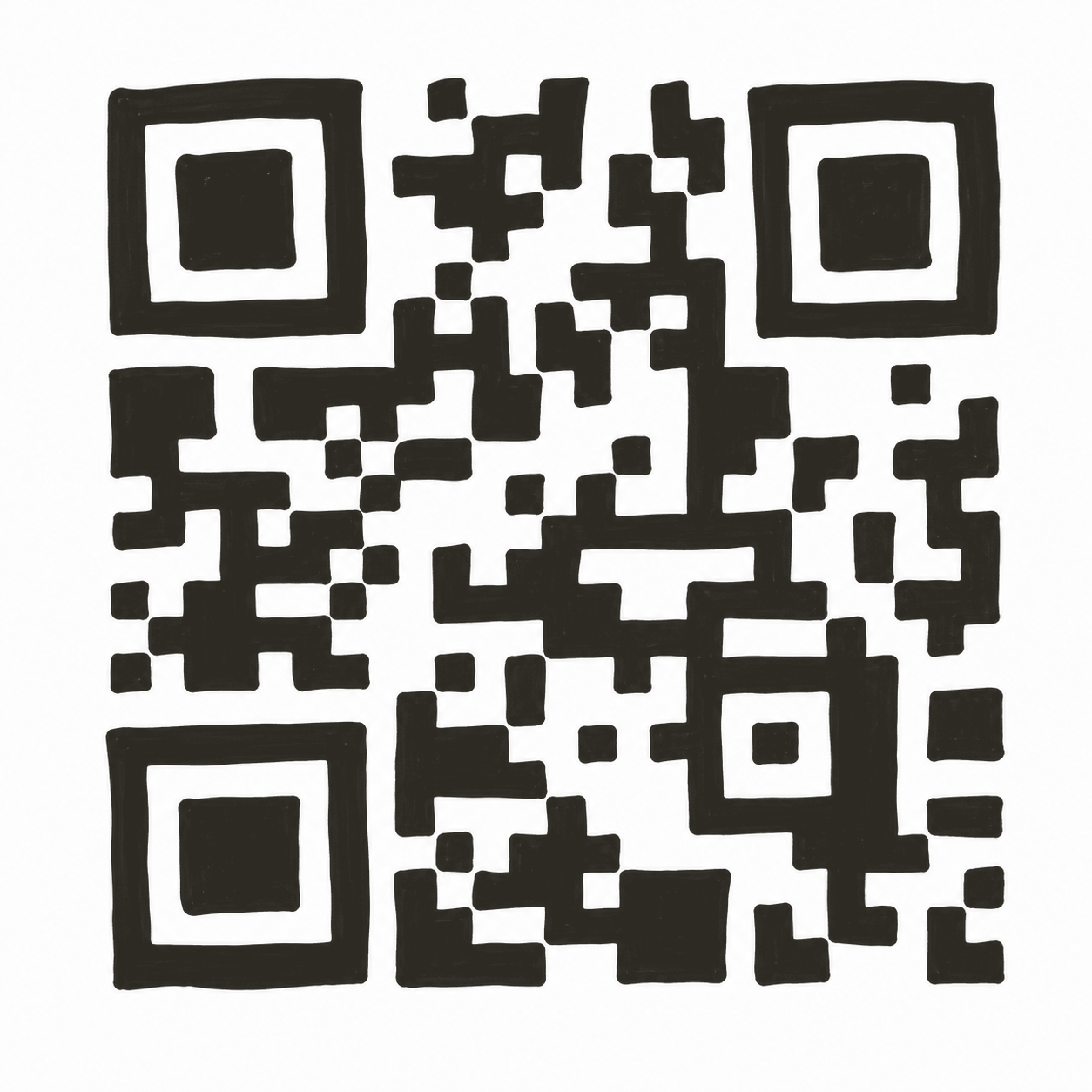
スマホで開く
スマホで開くQRコード
{/* Phone frame */}
{/* PC でも hero 遷移の見た目を揃えるためゴースト input を置く(キーボードは出ない) */}
{/* 画面遷移debugメニュー(ハッカソン審査用)。既定は閉じており、開くボタンで展開する。 */}
{/* ヘッダ+開閉ボタン */}
画面遷移debugメニュー (ハッカソン審査用に出しています。)
{debugOpen && ( <> {/* 注意書き(PCプレビューは未ログインだと自動でテストユーザーにサインインする) */}
未ログイン状態でdebug用遷移を行うと、テストユーザー(test@example.com)として扱われます。
SCREENS
{JUMP_SCREENS.map(s => { const active = screen === s.id; return ( ); })}
)}
); } ReactDOM.createRoot(document.getElementById('root')).render(); })();